
Fat — Meets the recommended minimum
Fiber — Within the recommended limit
Ash — Within the recommended limit
Names Carne di pollo as a headline ingredient
Protein — Well below the recommended minimum
Moisture — Well above the recommended limit
Nutritional values
Per 100g
Protein
Well below the recommended minimum
9.9 g
Fat
Meets the recommended minimum
9.2 g
Fiber
Within the recommended limit
0.3 g
Ash
Within the recommended limit
1.7 g
Moisture
Well above the recommended limit
78.0 g
Ingredients
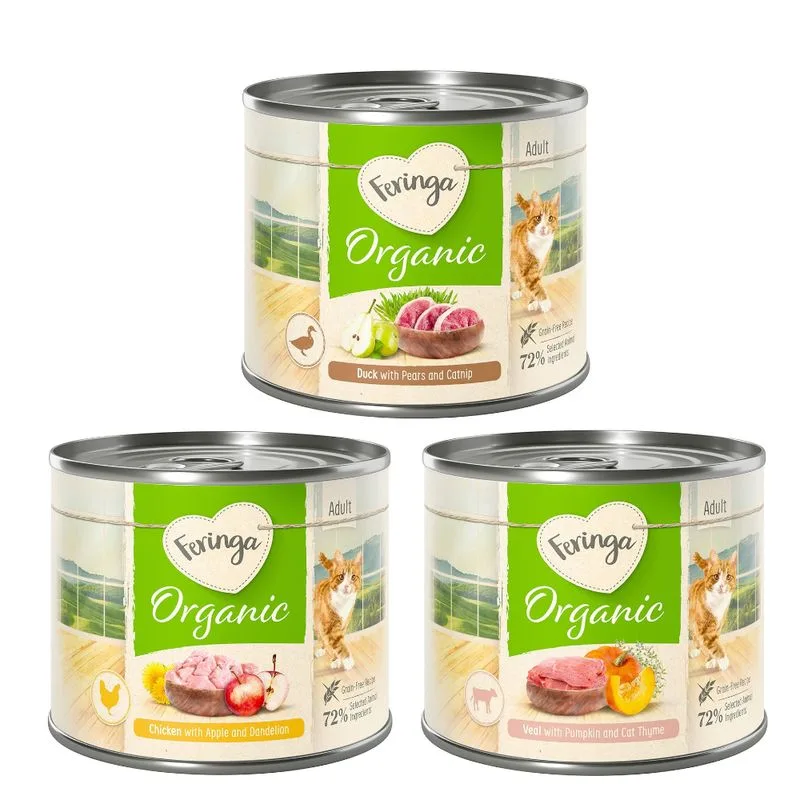
Carne di pollo
Brodo di carne di pollo
Cuore di pollo
Stomaco di pollo
Fegato di pollo
Mela
Tarassaco
Minerali
Carne di anatra
Brodo di carne di anatra
Stomaco di anatra
Cuore di anatra
Pera
Erba gatta
Carne di vitello
Cuore di vitello
Polmone di vitello
Fegato di vitello
Zucca
Camedrio maro
At a glance
- Species
- Cat
- Food type
- Wet food
- Life stage
- Adult
- Energy
- 116 kcal/100 g (estimated)
- Reference price
- 12,49 € / 1,20 kg
- Barcode
- 4062911018044
Is Feringa Bio Menù 6 x 200 g (Mix: Pollo bio, Anatra bio, Vitello bio) right for your cat?
The score is the same for everyone; the verdict is not. Tell Flovvi your pet's weight, age, sterilisation and allergies and get the daily portion, the real cost per day and the warnings that apply to them, free.
