
Protein — Meets the recommended minimum
Fat — Meets the recommended minimum
Fiber — Within the recommended limit
Ash — Within the recommended limit
Contains lower-quality ingredients: glutine di mais, proteine animali idrolizzate, cloruro di sodio
Nutritional values
Per 100g
Protein
Meets the recommended minimum
34.0 g
Fat
Meets the recommended minimum
16.0 g
Fiber
Within the recommended limit
1.2 g
Ash
Within the recommended limit
5.9 g
Moisture
—
Ingredients
glutine di mais
riso
carne di pollo disidratata
avena
grasso animale
proteine animali idrolizzate
uova intere disidratate
olio di pesce
pesce disidratato
cloruro di potassio
olio vegetale
solfato di calcio biidrato
carbonato di calcio
inulina
fruttoligosaccaridi
mannanoligosaccaridi
cloruro di sodio
estratto di fiore di Tagete
At a glance
- Species
- Cat
- Food type
- Kibble
- Life stage
- Adult
- Energy
- 377 kcal/100 g (estimated)
- Reference price
- 55,99 € / 4 kg
- Barcode
- 8010276025319
Better-scoring alternatives
Same species and type, higher Flovvi Score, closest price first.
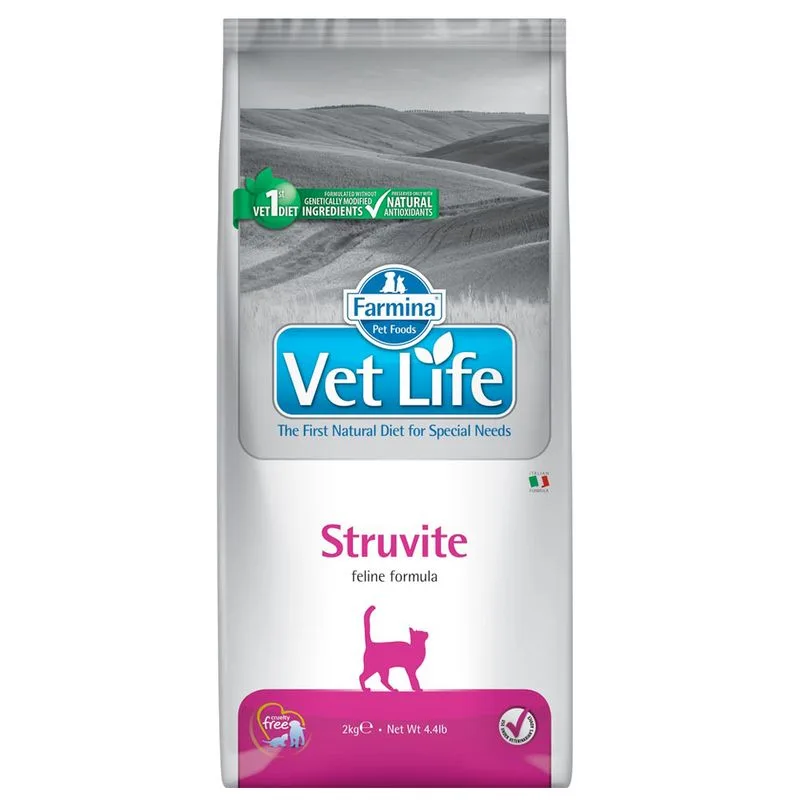
Is Farmina Vet Life Struvite crocchette gatto (Set %: 2 x 2 kg) right for your cat?
The score is the same for everyone; the verdict is not. Tell Flovvi your pet's weight, age, sterilisation and allergies and get the daily portion, the real cost per day and the warnings that apply to them, free.
