
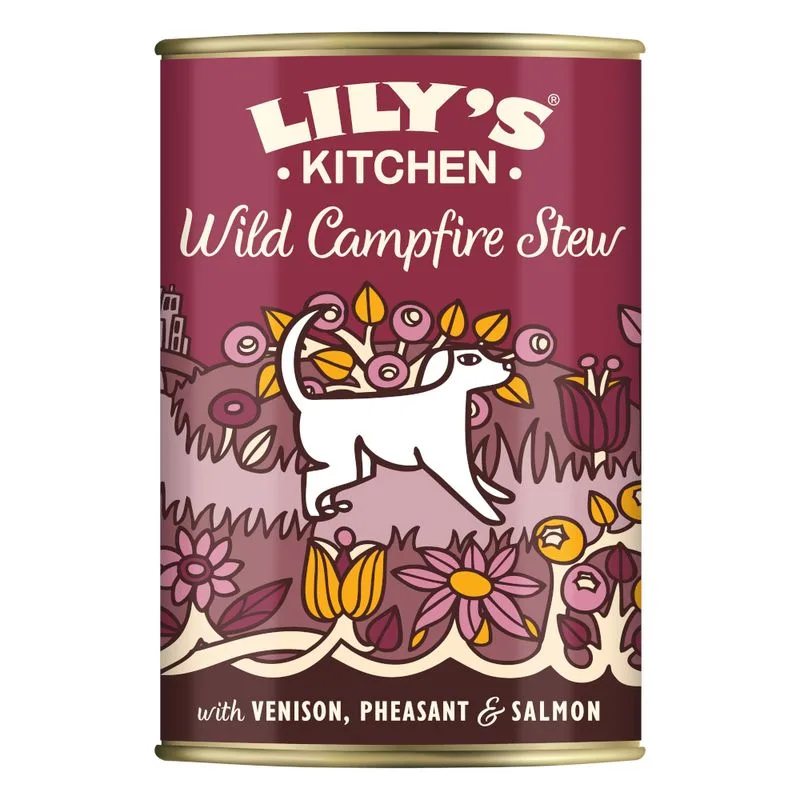
Lily's Kitchen Grain Free Menù umido cane (Set %: 24 x 400 g Selvaggina, fagiano & salmone)
Fat — Meets the recommended minimum
Fiber — Within the recommended limit
Ash — Within the recommended limit
Names selvaggina fresca as a headline ingredient
Protein — Below the recommended minimum
Moisture — Well above the recommended limit
Nutritional values
Per 100g
Protein
Below the recommended minimum
10.2 g
Fat
Meets the recommended minimum
6.0 g
Fiber
Within the recommended limit
0.5 g
Ash
Within the recommended limit
3.0 g
Moisture
Well above the recommended limit
77.0 g
Ingredients
selvaggina fresca
fagiano
salmone
patate
zucca butternut
fagiolini
mele
vitamine
minerali chelati
olio di canapa
verga d'oro
ortica
anice
semi di sedano
frutto della rosa canina
petali di calendula
attaccamani
alghe marine
erba medica
cardo mariano
radice di tarassaco
radice di bardana
At a glance
- Species
- Dog
- Food type
- Wet food
- Life stage
- Adult
- Energy
- 104 kcal/100 g
- Reference price
- 107,99 € / 9,60 kg
- Barcode
- 5056273610779
Better-scoring alternatives
Same species and type, higher Flovvi Score, closest price first.
Is Lily's Kitchen Grain Free Menù umido cane (Set %: 24 x 400 g Selvaggina, fagiano & salmone) right for your dog?
The score is the same for everyone; the verdict is not. Tell Flovvi your pet's weight, age, sterilisation and allergies and get the daily portion, the real cost per day and the warnings that apply to them, free.
